

Poseable Skeleton SVG
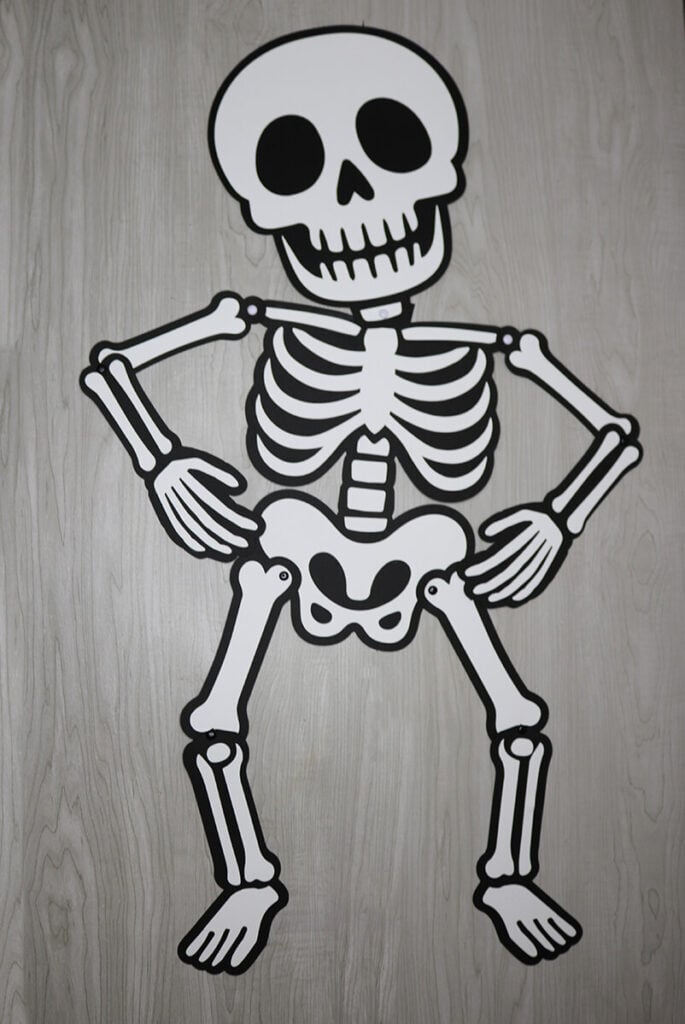
Let your Cricut or Silhouette make decorations to decorate your house for Halloween. Grab this free poseable skeleton SVG to easily make this skeleton decoration.
This post contains some affiliate links for your convenience (which means if you make a purchase after clicking a link I will earn a small commission but it won’t cost you a penny more)! Read my full disclosure policy.
This posable skeleton is a fun, interactive decoration for Halloween. Have fun changing the position of the skeleton each day and make it a new family tradition.
For more Halloween decorations that you can make with your cutting machine, grab these free light box templates, this glow in the dark sign template or search all of my free Halloween SVG files for more crafting inspiration.
Download The Poseable Skeleton SVG
You can download this free Poseable Skeleton SVG Template from my members only free library (design #2 under Halloween Crafts or search “Poseable Skeleton SVG”).
Don’t have a password? Unlock my free members library by entering your name and email in the form below or click here.
Supplies to Make a Poseable Skeleton
- 4 Sheets Black Medium or Heavy Weight Cardstock – I am using a Heavy Weight Cardstock
- 3 Sheets White Medium or Heavy Weight Cardstock – I am using a Medium Weight Cardstock
- Black or White Metal Brads Paper Fastener – These are the ones that I am using.
- Brayer Roller Tool
- Paper Craft Glue – I am using this Bearly Art Precision Craft glue
- Cricut Maker or Explore Cutting Machine and a 12×12 light weight cutting mat
- Poseable Skeleton SVG (available in my free members library design #2 under Halloween Crafts —get the password by filling out the form here.)
Save this Pinterest so you can easily find this tutorial when you need it… Plus by sharing with others, this helps to keep my SVG files and Cricut tutorials free!

Poseable Skeleton Instructions
Learn how to make a 33″ poseable skeleton with this step-by-step tutorial.

Upload the Poseable Skeleton SVG to Cricut Design Space
Upload the skeleton SVG to Cricut Design Space. If you need help with uploading SVG files, then check out my tutorial here. Make sure to check the size of your project and adjust if needed. Click on the image (while everything is grouped together) and the width should be 16.5″ and the height 35.515″.
After resizing your project (if needed), click on “ungroup” to ungroup your layers. Then cut all the pieces out with your Cricut.

Assemble the Skeleton Bones
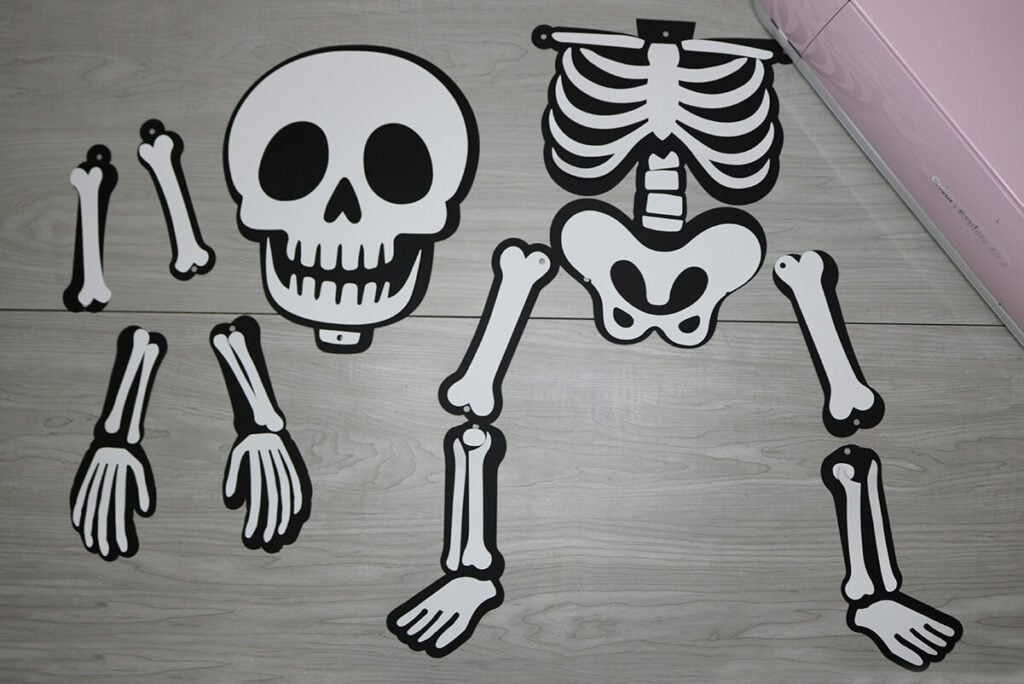
This skeleton is super easy to assemble. Start by matching all the pieces together like you see below. Then glue them together. Then attach each of the bones together using the brass fasteners.
When you’re done making your skeleton, make sure to post these in my crafting group here or tag me if you post them on social media. I absolutely love seeing your crafts and can’t wait to see all your crafts!
Video Tutorial For Poseable Skeleton
Watch the step-by-step video tutorial to learn how to make this poseable skeleton here:

