

Glow in the Dark Cricut Halloween Sign
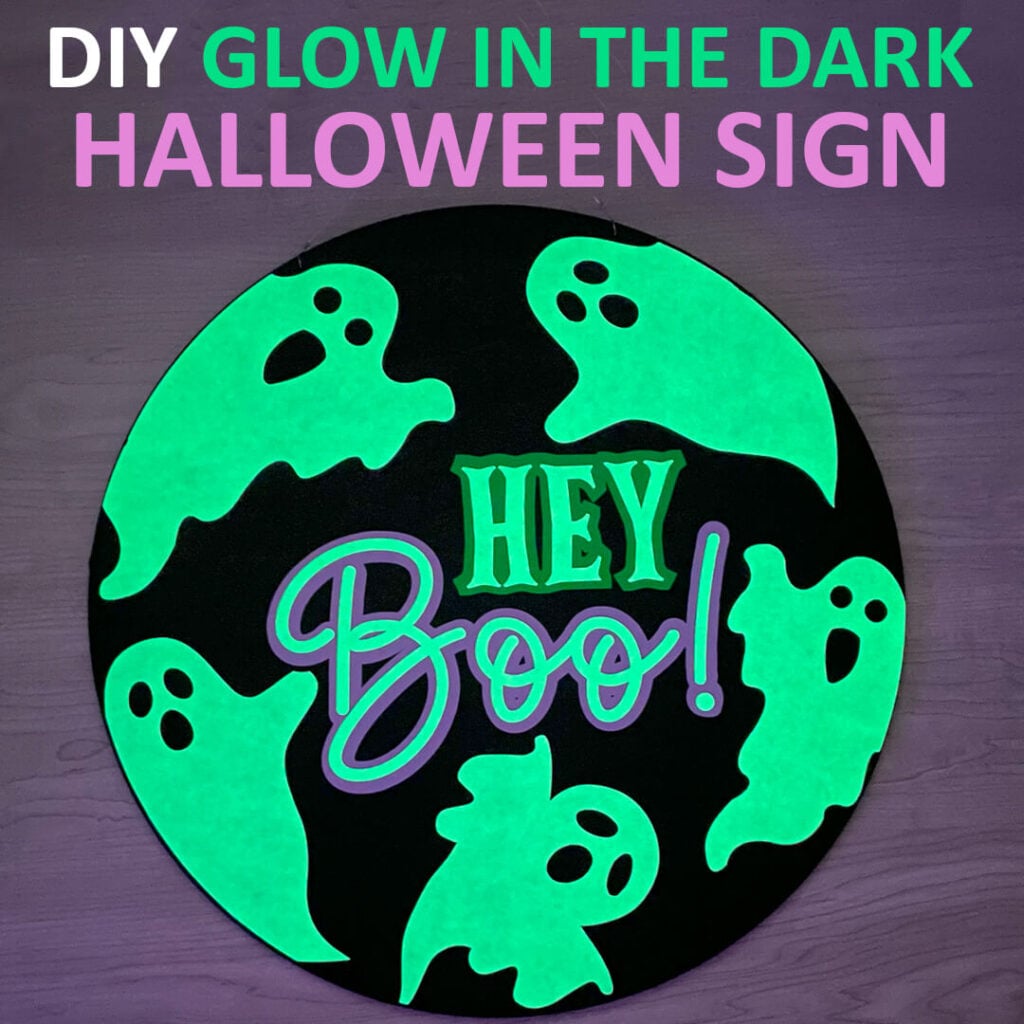
Fall is here and I am excited to get started on Halloween crafts and decorations. And I really think you guys are going to love this Cricut Halloween sign. It’s super easy to make and it glows in the dark!
This post contains some affiliate links for your convenience (which means if you make a purchase after clicking a link I will earn a small commission but it won’t cost you a penny more)! Read my full disclosure policy.
If you love this Halloween sign, then make sure to check out more of my Cricut wood sign tutorials to keep your front door festive all year long. And don’t forget to check out all of my Cricut Halloween crafts for more decorations and Halloween craft ideas.
Download The Hey Boo Wood Sign Template
You can download this free Halloween Sign SVG Template from my members only free library (design #4 under Wood Crafts or search “Hey Boo Halloween Sign Template”).
Don’t have a password? Unlock my free members library by entering your name and email in the form below or click here.
This welcome sign can be used for either indoor or outdoors. It’s also great to hang on the front door. I place mine on the shutters next to the front door and it holds up outside great. But, if you want to make sure your wood sign lasts for many years, use an acrylic sealer to seal and protect it. You can find what I use here.

Supplies for this Hey Boo Glow in the Dark Halloween Sign
- Wood Round – I am using this wood round in the 16×16 inch size. If you want to use another size, I’ll show you how to resize the template in this tutorial.
- Glow in the Dark Iron on Vinyl
- Iron on Vinyl in Green and Purple – I am using colors from this variety pack
- Black Acrylic Paint
- Heat Press – I am using this 12″x10″ EasyPress
- Acrylic Sealer
- Floral wire or string for hanging
- Cricut Maker or Explore Cutting Machine and a standard size cutting mat.
- Hey Boo SVG Template (available in my free members library design #4 under Wood Crafts —get the password by filling out the form here.)
Share the love and easily come back to this Cricut Halloween sign tutorial anytime just by saving this on Pinterest!

Video Tutorial For Cricut Halloween Sign
Watch the step-by-step-video tutorial to learn how to make this glow in the dark Halloween sign here:

Glow in the Dark Halloween Sign Instructions
Step 1: Paint the Wood Round Black
You can either leave the wood round it’s natural color or paint it black (which I highly recommend). If you want to paint the wood, apply at least 2 coats of an outdoor acrylic paint and then let it fully dry.
Step 2: Cut Out Iron on Vinyl
Upload the Hey Boo SVG file to Cricut Design Space. If you need help with uploading SVG files, check out my tutorial here. Cut out all of the white using glow in the dark HTV vinyl. You will also want to use HTV vinyl for the green and purple vinyl. Remember to mirror each of your designs and place the vinyl on the mat with the shiny side down when cutting.
Note: If your wood round is a different size than 16″x16″, then you will need to resize the design first. To do this, add a circle to your canvas and change the size to the size of your wood round. Send the circle layer to the back. Then, resize the design until it fits and delete the circle before cutting.

Step 3: Weed and Trim Vinyl
Weed all of the vinyl by removing the vinyl that you don’t need. Only the design should be left on the carrier sheet when you are done. Then trim as closely as you can around each design so there is not a lot of the carrier sheet showing. This way, you can apply the vinyl in batches instead of each piece individually.

Step 4: Press on Your Vinyl
Start by lining each piece up so that you know where to place everything. Once everything is lined up how you like it, remove the ghosts and start by pressing “Hello Boo” first. Make sure to trim closely around the carrier sheet so that these pieces do not overlap so you can press them together.
Use the cricut heat guide settings to apply your vinyl which are:
- 305 degress
- press for 30 seconds
- cool peel

Press for 30 seconds using parchment paper. Wait for the vinyl to cool before removing the carrier sheet. If you notice that some of the viny isn’t sticking, press the carrier sheet back down and add more heat until it adheres.
After you remove the carrier sheets, place one of the ghosts back in place. Add the parchment paper on top and press for 30 seconds. Continue to add each ghost, pressing for 30 seconds using parchment paper. Heat press only the part that needs attached and not the entire design.

Step 5: Seal the Wood Sign
To get more life our of your Halloween sign (especially if using outdoors), you’ll want to seal the wood. This spray acrylic sealer is my go to, but any sealer should work. Spray on the sealer, moving in side to side motions.
Note: Make sure that you are in a well ventilated area when spraying on the sealer.
Step 6: Add Wire or String to Hang
All that’s left is to add wire or string to hang your sign. The wood rounds that I purchased came with pre-drilled holes. If yours do not have this, you will need to drill 2 holes and then add your string.
In the past, I have used twine (string) to hang my welcome signs. But they tend to flip over with the wind. So this time I am using floral wire and have not had any issues. So I think that wire is the way to go when hanging outdoor signs.

How to Make the Glow in the Dark Vinyl Glow
Just like any glow in the dark items, the glow in the dark vinyl needs to be charged with light to glow. So if your vinyl starts to lose it’s glow, just place it under a light for a couple minutes. If you are keeping your Halloween sign outside, then the sun should charge enough during the day for it to glow most of the night

When you’re done, make sure to post these in my crafting group here or tag me if you post them on social media. I absolutely love seeing your crafts and can’t wait to see your Halloween wood signs!
