

Valentine, You’re Poppin’ Free Printable Valentines
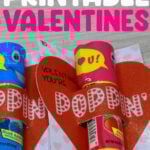
Make Valentine’s Day pop with these Valentine, You’re Poppin’ Valentines. They’re designed to pair perfectly with a Push Pop candy, turning a simple treat into an adorable classroom gift. Whether you’re making them with your Cricut or printing a quick batch for a school party, these free printable Valentines make it easy to create something that looks handmade without the stress.

This post contains some affiliate links for your convenience (which means if you make a purchase after clicking a link I will earn a small commission but it won’t cost you a penny more)! Read my full disclosure policy.
If you’re looking for more printable classroom Valentines, these ChapStick printable Valentine cards are a favorite, or search all of my printable Valentine cards for kids for more ideas.
Learn how to make Push Pop Printable Valentines
I’ll be using my Cricut with the print then cut setting to make these printable Valentines in today’s tutorial. But, if you don’t have a Cricut, you can use the PDF file to print and cut these out yourself.
Watch the step-by-step video tutorial to learn how to make Push Pop Printable Valentines with your Cricut here:

To Make Push Pop Valentines, You Will Need:
- An inkjet printer
- Printable Cardstock, I’m using this White Glitter Printable Cardstock.
- Regular Size Push Pop Candy
- Cricut Cutting Machine and Standard Cutting Mat
Download The Free Printable Valentines
You can download these free Printable Valentines from my members only free library (design #34 under Valentine Crafts or search “Push Pop Valentines”).
Don’t have a password? Unlock my free members library here.
Share the love and easily come back to this tutorial anytime just by saving this on Pinterest… Plus this helps to keep my SVG files and Cricut tutorials free!

Step 1: Upload the SVG File to Cricut Design Space
Upload the Valentine, You’re Poppin’ SVG to Cricut Design Space. If you need help with uploading SVG files, then check out my tutorial here. If you want to change any of the colors or remove any items on the image, go ahead and make those changes.
Step 2: Flatten Image & Attach Cut Lines
Open the group and flatten the bottom layer. This is also the layer that you can open to edit any colors or designs before you flatten it.

Select the group with all the layers and select attach which is the safety clip to attach the cut lines to the printable graphic.
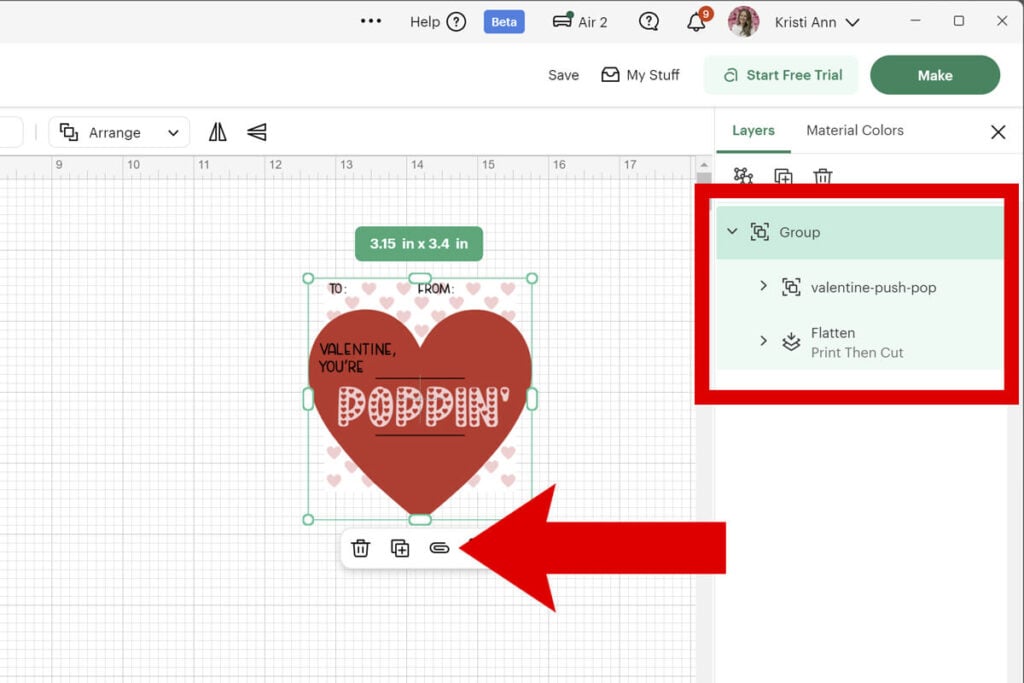
Then select the image and select the duplicate icon until you have 4 of the printable cards.
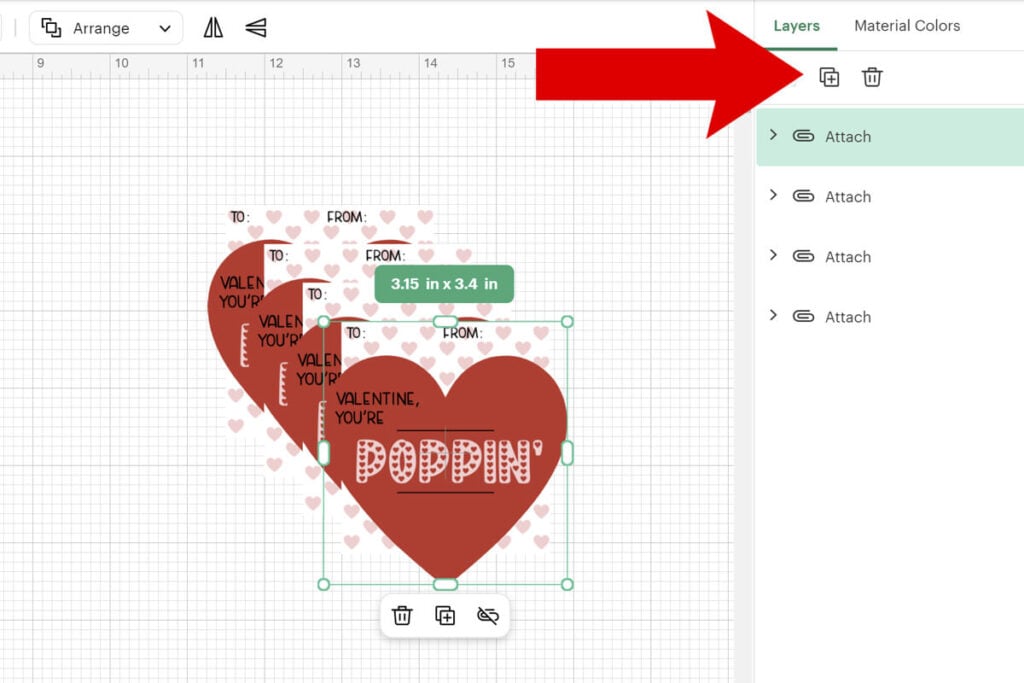
Note: If Cricut Design Space doesn’t place all 4 of the Valentines on the same page, go back and move the designs close together and attach them. This way you can print 4 of these on one sheet of paper.

Step 3: Print Then Cut the Valentines
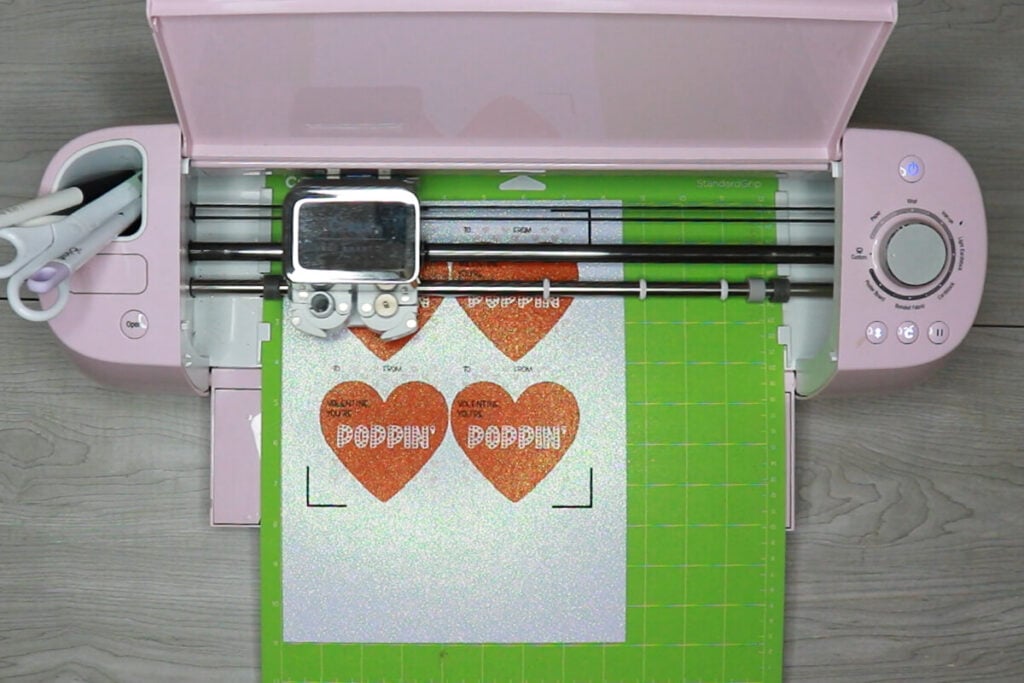
Select “Make” and then select “Continue”. Then select “Send to Printer” and follow the prompts to print out your sheet. Once the sheet of Valentines is printed, place this sheet on a cutting mat, exactly as you see it in the preview, select the material and let your Cricut cut the Valentines out.
By adding the cut lines on top of the graphic, your Cricut will cut out the graphic, but will also cut out the lines for adding in your push pop, giving you the perfect cuts.
Step 4: Add a Push Pop to each of the Printable Valentines
When you finish cutting the Valentines, add a push pop into the slits of each Valentine. Address each of the cards and enjoy giving away these adorable Valentines perfect for handing out at school.

Thanks so much for checking out these free printable Valentines. When you’re done, make sure to post these in my crafting group here or tag me if you post them on social media. I absolutely love seeing your crafts and can’t wait to see how yours turn out!
