

Valentine’s Day Sticker SVG
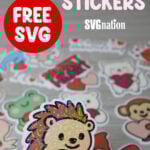
Want to add more love to everything this Valentines season? Grab these free Valentine’s Day Sticker SVG files to decorate your notebooks, water bottles and more. I’ll even show you how to make them holographic in this step-by-step sticker tutorial.

This post contains some affiliate links for your convenience (which means if you make a purchase after clicking a link I will earn a small commission but it won’t cost you a penny more)! Read my full disclosure policy.
Like making stickers with your Cricut? Find more free sticker SVG files to make stickers for other occasions. You can also find a bunch of Valentine’s Day cricut craft ideas for DIY Valentines decor, classroom gifts, cards and more.
Learn how to make Holographic Valentine’s Day Stickers with your Cricut!
These Valentine’s Day sticker designs will make it easy to whip up something cute for Valentine’s Day. You can use this file to make kiss cut stickers or dye cut stickers and even make them holographic so they sparkle. Have even more fun with these designs by making temporary tattoos with them by using this printable temporary tattoo paper!
Watch the step-by-step tutorial to learn how to make holographic Valentine’s Day stickers here:

To Make Holographic Stickers, You Will Need:
- Any good quality inkjet printer
- Matte Sticker Paper (you can also use gloss if you aren’t adding the holographic sheets)
- Transparent Holographic Vinyl Laminate
- Cricut cutting machine – Use this Cricut Comparison Guide to find the right model for you!
Download The Valentine’s Day Sticker SVG
You can download this free Valentines Sticker SVG Template from my members only free library (design #33 under Valentine Crafts or search “Valentine’s Day Sticker SVG”).
Don’t have a password? Unlock my free members library here.
Share the love and easily come back to this tutorial anytime just by saving this on Pinterest… Plus this helps to keep my SVG files and Cricut tutorials free!

Step 1: Flatten Each Valentine’s Day Sticker in Cricut Design Space
Start with uploading the Valentine’s Day sticker SVG to Cricut Design Space and then click on “Ungroup” to ungroup the layers.
If you want to change any of the colors or resize any of the images then make those changes. But, before you can print these, you will need to flatten each image individually. To do this, click on the image and select “Flatten”.

Step 2: Cut the Valentine’s Day Stickers with Cricut
To make your stickers, select “Make”. Then use the print prompt to print the page of stickers. If you want to make the stickers holographic, then apply the holographic vinyl to the top of the stickers. But make sure that you trim the vinyl down first so the vinyl covers all the stickers but does not cover the sensor guides printed on your stickers. If any vinyl is covering even a small part of the corner sensors, your Cricut will not be able to sense this to cut.
Add the sticker paper to your cutting mat and have your Cricut cut the stickers out.

Sticker Cut Settings
While there are sticker settings in Cricut Design Space, I’ve found that these settings don’t always work for the results that I’m looking for. Out of a lot of trial and error and wasted paper, here are the settings that I use.
Kiss Cut Sticker Settings
Kiss cut stickers have this name because the blade barley goes through the material as it cuts. This allows the sheet to stay in tact so you can peel the stickers off as you use them.
- Using just the sticker paper I use the Sticker Paper with Laminate setting with the pressure set to default.
- Adding the holographic sheet, I use the Glitter Iron on Vinyl setting with the pressure set to default.

Die Cut Sticker Settings
Die cut stickers use more pressure because they cut all the way around the sticker and the backing so you have individual stickers.
- Using just the sticker paper I use the Gitter Iron on Vinyl setting with the pressure set to default.
- Adding the holographic sheet, I use the Glitter Cardstock setting with the pressure set to default.

Thanks so much for checking out these Valentine’s Day Stickers. When you’re done, make sure to post these in my crafting group here or tag me if you post them on social media. I absolutely love seeing your crafts and can’t wait to see how yours turn out!
