

How to Make a Paint and Sip Canvas with Cricut
Looking for creative Cricut canvas art ideas that are easy to make and perfect for parties? These DIY paint and sip canvas crafts are the perfect craft to add to your next get together. Whether you’re hosting a girls’ night, birthday celebration or holiday party, these Cricut canvas designs will help you to quickly get everything set up and ready to go.
This post contains some affiliate links for your convenience. (Which means if you make a purchase after clicking a link I will earn a small commission but it won’t cost you a penny more)! Read my full disclosure policy.
This is an ongoing post. As I create new canvas designs, I’ll add them all to this post. So make sure to save this post and check back often for new paint canvas designs!
How to Make Paint and Sip Canvas with Cricut
Traditional paint and sip events often require guests to freehand complicated designs. By using a Cricut or other compatible cutting machine, you can create custom stencils that make painting easier and more enjoyable.
Watch this quick video tutorial to learn how to make these Thanksgiving shadow box cards with your Cricut:
To Make Paint Canvases, You Will Need:
- Stretched Canvases. Any brand will work but I prefer this 5″x7″ stretched canvas and 8″x10″ stretched canvas.
- Black Iron on Vinyl. Choose a brand that you enjoy weeding, for me that is the Siser EasyWeed Heat Transfer Vinyl.
- Mini Heat Press (perfect for 5″x7″ canvas) or an EasyPress (great for larger canvases)
- Cricut Explore, Maker, Cricut Joy Xtra or other compatible cutting machine
- Optional – Mini Acrylic Paint Sets, Acrylic Markers or Flat Black Rhinestones with Glue (Clear E6000 is the best for rhinestones) for coloring the canvases.
Share the love and easily come back to this tutorial anytime just by saving this on Pinterest… Plus this helps to keep my SVG files and Cricut tutorials free!
Step 1: Upload the Canvas Design or Modify Your Own Design
Upload the canvas design that you would like to use to Cricut Design Space. If you need help with uploading SVG files, then check out my tutorial here. You can also use images from Cricut Design Space. Just make sure that you use images that are the outline of the design. Resize them to fit the canvas size you are using.
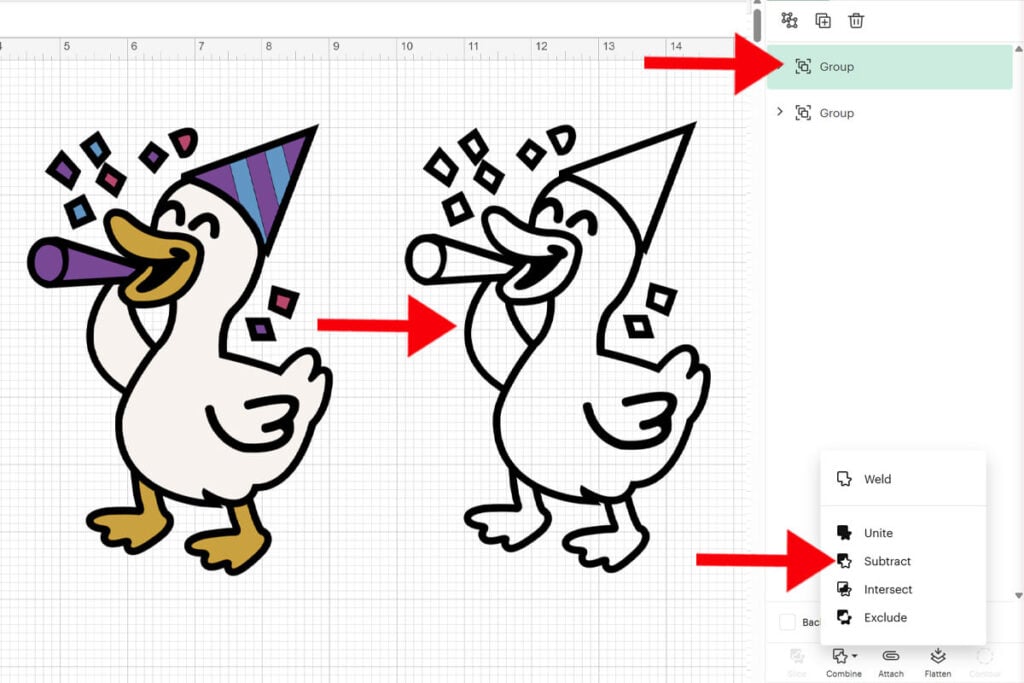
If an image is filled in, but still has an outline, you can easily turn this into an outline by selecting all the layers together and then go to “Combine” and “Subtract”.
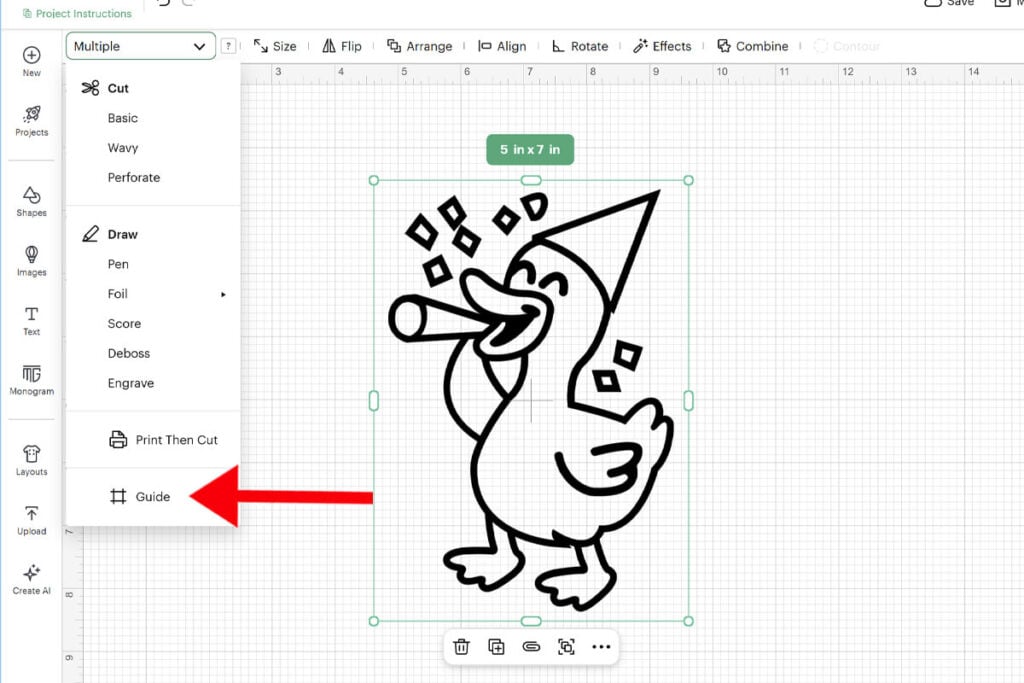
Resize the layer so that it fits on your canvas. If you are using one of my designs included in this post, I already have them resized for 5″x7″ canvases and 8″x10″ canvases. You can easily resize these by creating a rectangle of your canvas size and use this as a guide. To turn the rectangle into a guide, go to the “Operations Menu” and select “Guide.”
The download for these templates will include an SVG file and DXF file of both designs (and the envelope template), so they are compatible with many different types of cutting machines. But, for this tutorial, I’ll be using my Cricut and Cricut Design Space to walk you through the steps of modifying the templates.
Step 2: Cut Everything Out
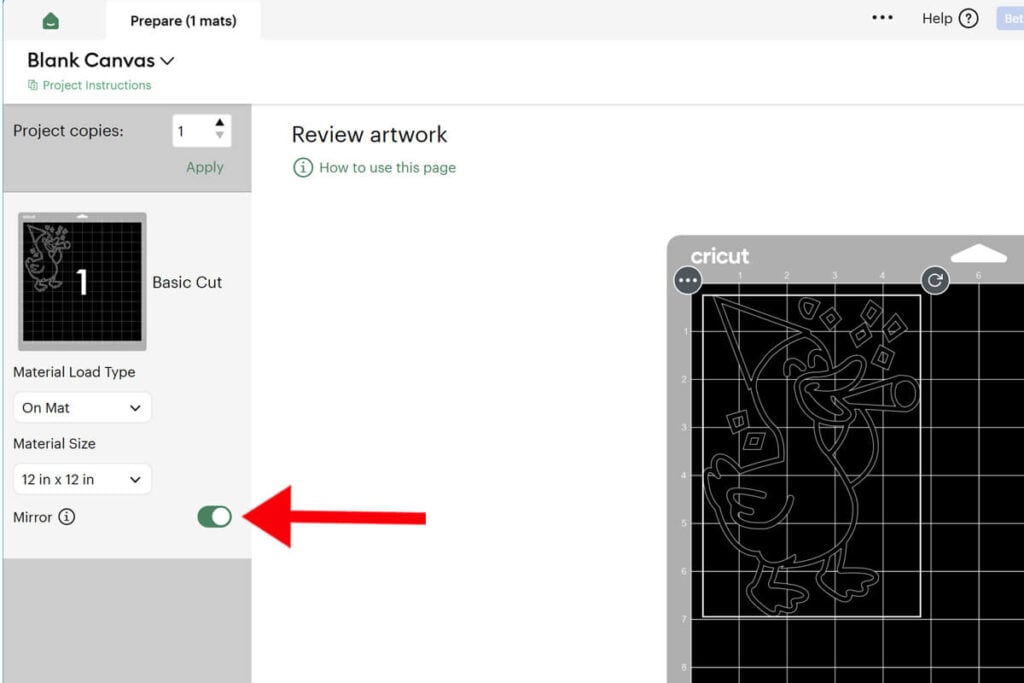
When your design is the correct size, it’s time to cut it out. You will be cutting this out on black iron on vinyl so make sure to MIRROR the design first and place the vinyl shiny side down on the cutting mat.
Tip: Because the outlines are more intricate cuts, I always add “More” for the pressure to make it easier to weed.
Step 3: Weed the Vinyl
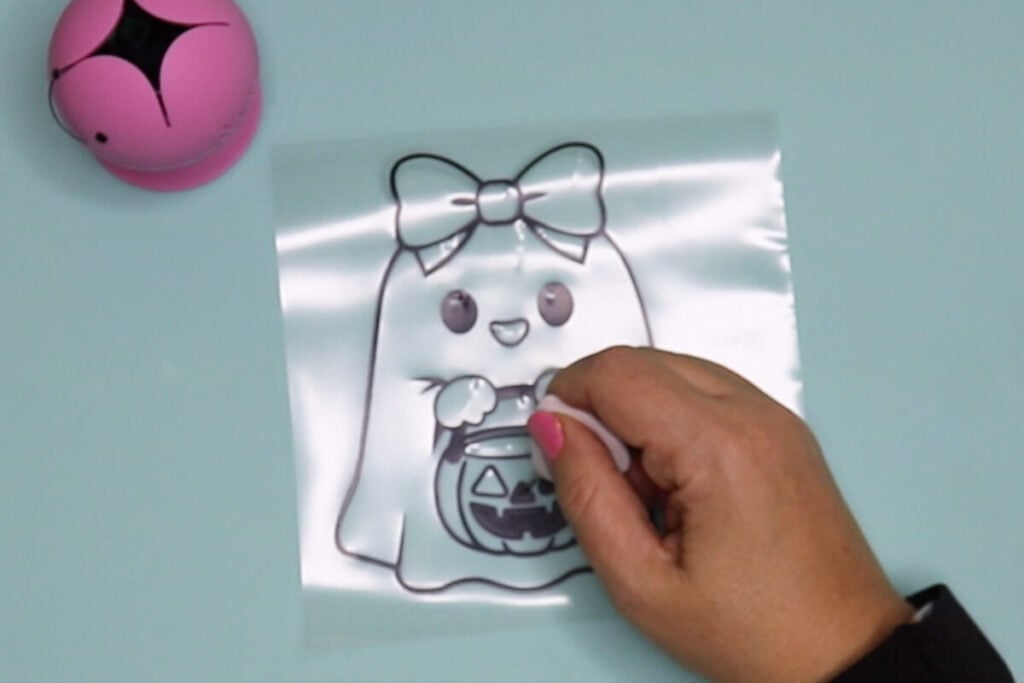
Remove the parts of the vinyl that you don’t need. When you are finished weeding your design, you should just have the outlines left. The image should look the same as it does in Cricut Design Space.
Step 4: Apply the Vinyl Design to the Canvas
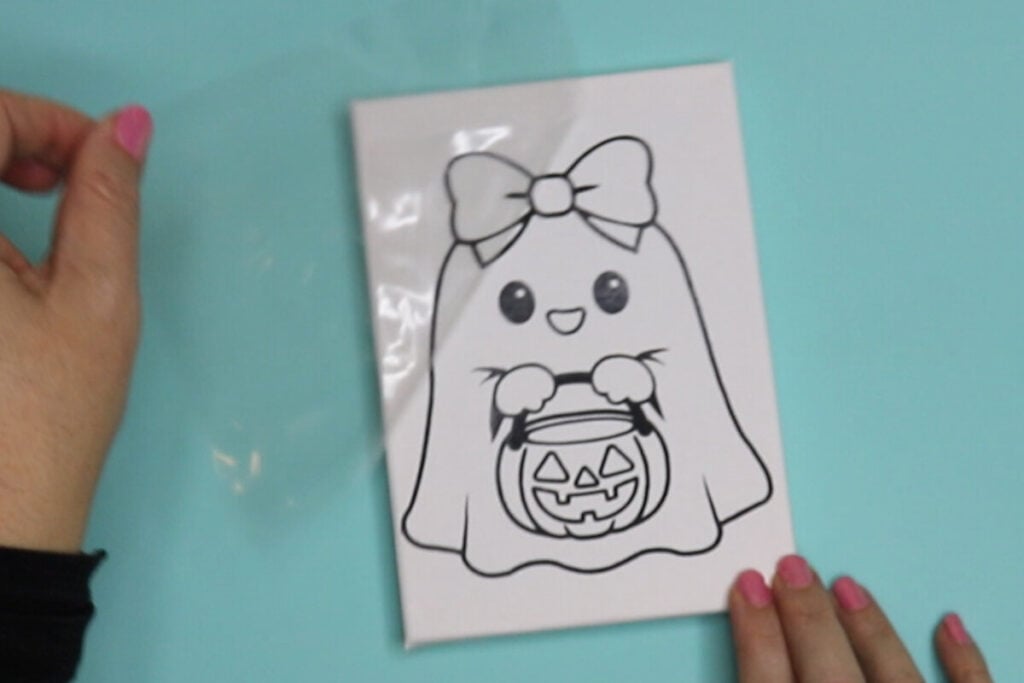
Place the design on your canvas with the carrier sheet facing up. I recommend adding a little painters tape to hold the design in place while you press it.
For 5″x7″ canvas designs, I like to use my mini heat press. Use the medium heat and press until all parts of the design are secure to the canvas.
For larger canvas designs, I use my EasyPress. The temperature should be set to 340 degress and press for 30 seconds. When using the EasyPress, it’s helpful to fill the open area of the canvas in with a towel or something similar so you can get a better press.
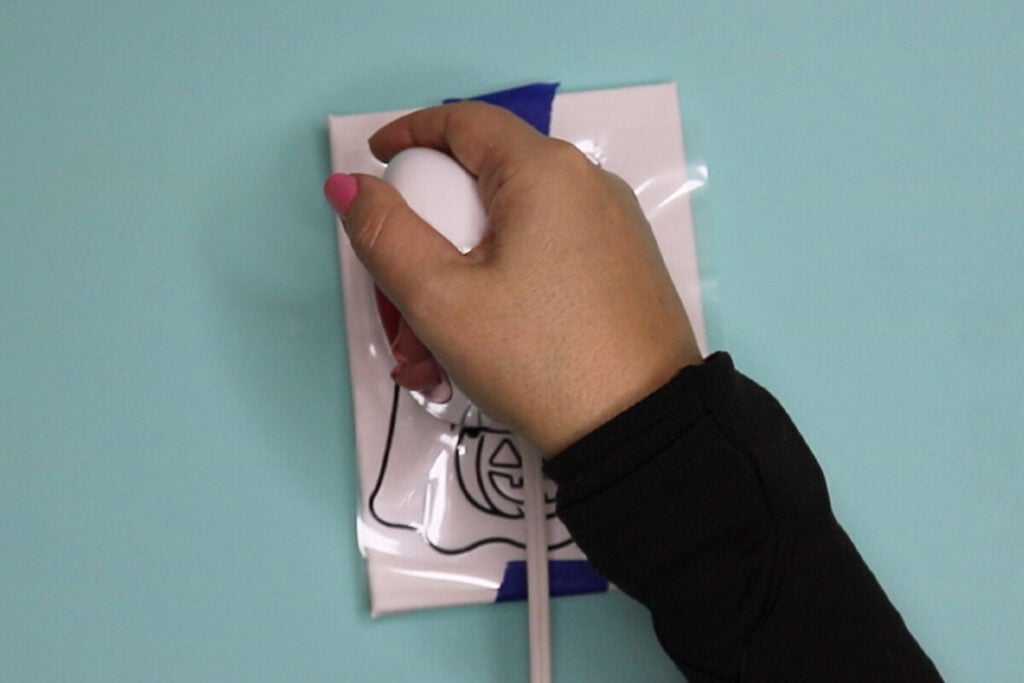
Remove the carrier sheet when it is cool to the touch. If you have any issues with the vinyl lifting, push the carrier sheet back down and add more heat until the design stays. And then your canvas is ready to go!
Pair the designs with Mini Acrylic Paint Sets, Acrylic Markers or Flat Black Rhinestones for filling them in!
Halloween Canvas Art Designs
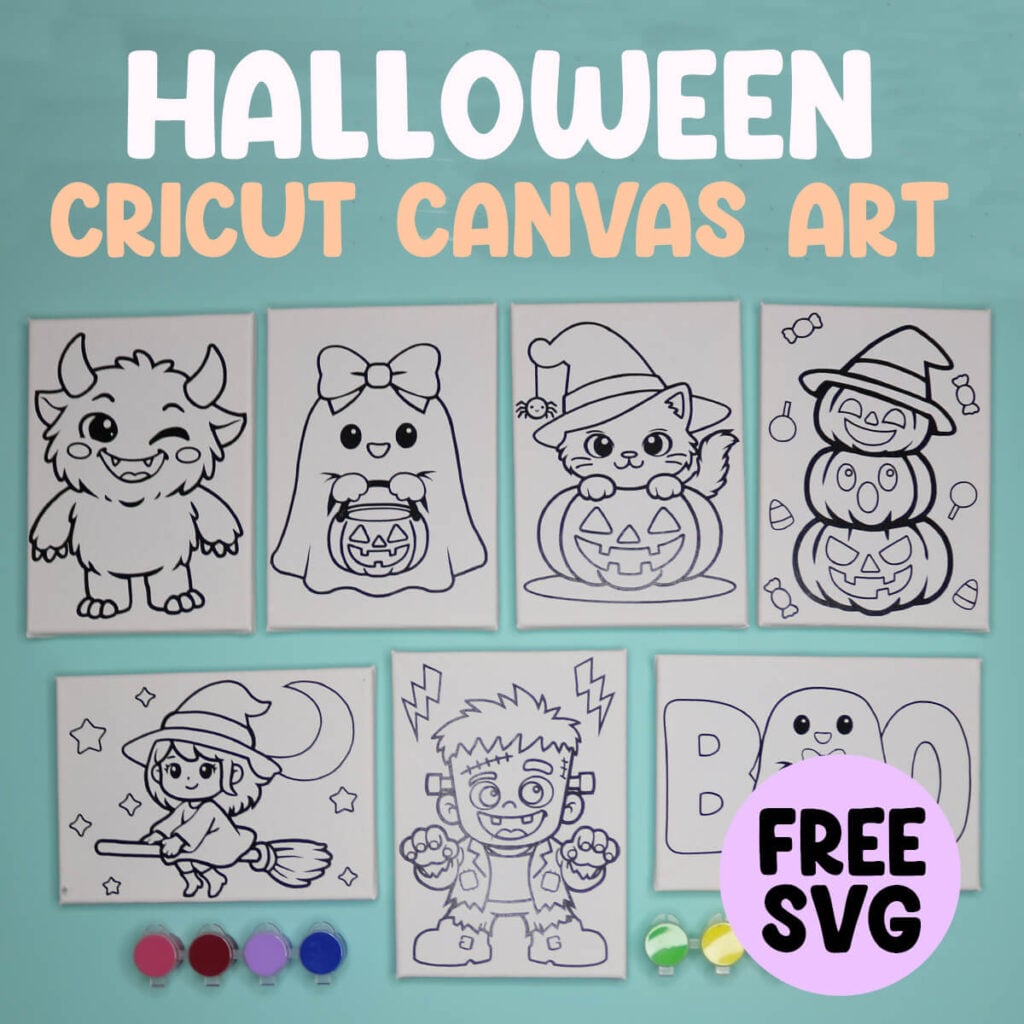
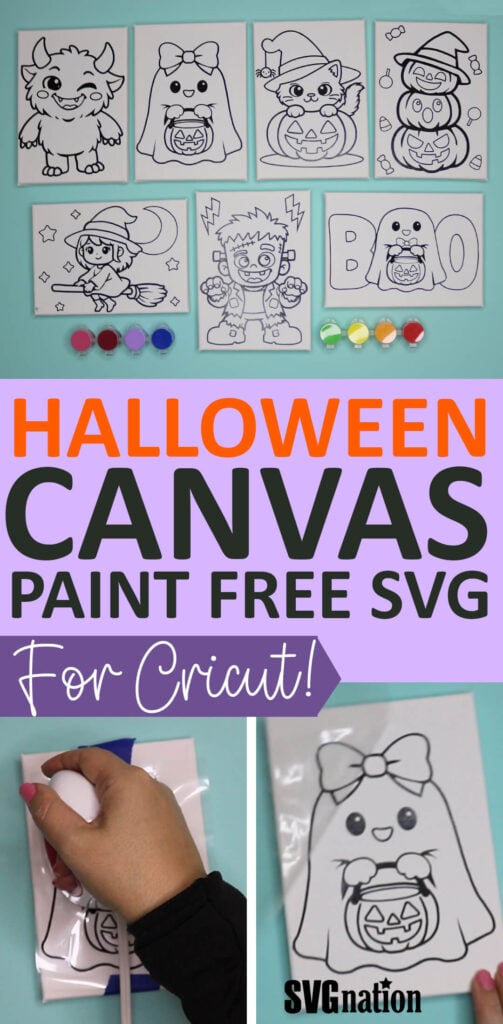
Halloween is the perfect time to get creative with your Cricut machine and transform ordinary canvases into festive home décor. Whether you’re planning a Halloween paint night, creating handmade decorations, or selling seasonal crafts, these Halloween Cricut canvas art designs will help you design stunning pieces with minimal effort.
Note: The boy ghost comes in an individual design as well and the girl ghost also comes in the Boo design in the downloads.
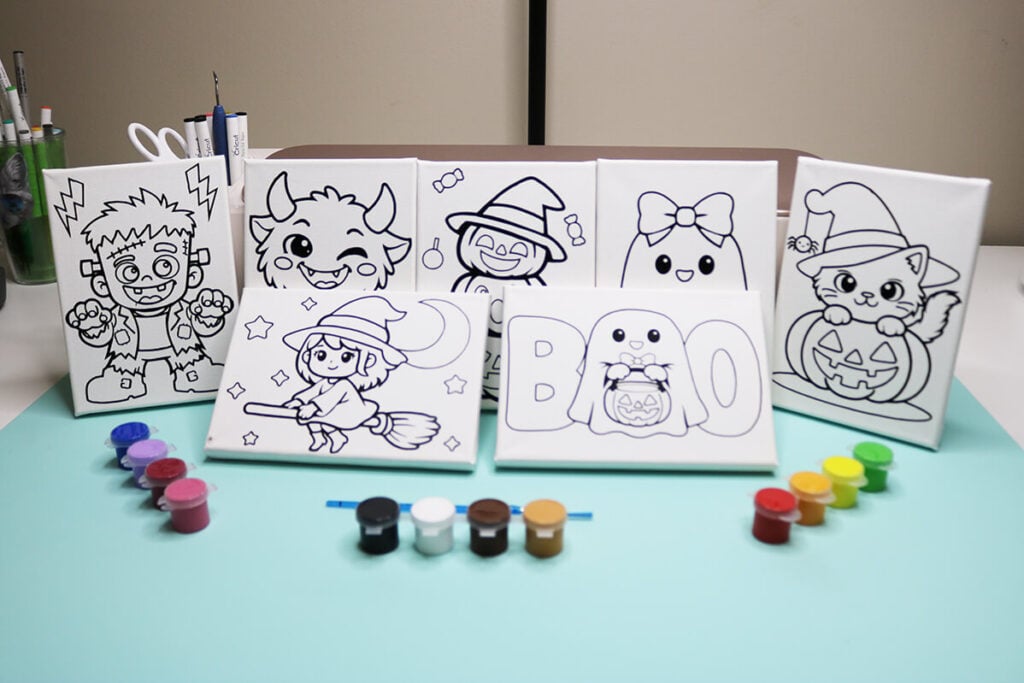
Download these Halloween Canvas Art Templates
You can download these free Halloween canvas art templates from my members only free library (design #11 under Halloween Crafts or search “Halloween Canvas Art Templates”).
Don’t have a password? Unlock my free members library here.
